
Best Arcade Emulator for Android: Unleash Retro Gaming on Your Phone
I absolutely love the nostalgia that classic arcade games inspire. It’s thrilling that I can relive these games from my Android device wherever I go. The power of modern Android devices has made it possible to run a variety of emulators, essentially transforming our phones and tablets into portable arcade machines.
Sometimes I find myself amazed by the variety of emulators for Android that cater to arcade enthusiasts. Whether you’re a fan of the retro classics or you’re simply intrigued by the gaming culture of the past, there’s an emulator that can take you back in time. [MAME](https://lightgungamer.com/mame-arcade-emulator/) is one of the stalwarts of arcade emulation, allowing you to enjoy a wide range of arcade games right on your Android.
Moreover, with emulation frontends like LaunchBox available for Android, managing and accessing my game library is effortless. I appreciate how these frontends integrate with emulators, offering a seamless gaming experience. Emulation on Android devices has indeed come a long way, offering impressive performance and compatibility, and I’m always excited to see what new developments emerge in this space.
Choosing the Right Emulator
When I’m looking to relive the glory days of arcade gaming on my Android device, I take the time to pick the [best emulator](https://lightgungamer.com/best-emulators-on-pc/) that fits my needs.
Evaluating Android Arcade Emulators
Before setting your heart on an emulator, it’s important for me to assess compatibility with Android devices, the variety of games supported, and user-friendliness. Performance can vary widely, but [the best emulators](https://lightgungamer.com/what-are-the-best-emulators-for-every-console/) offer smooth gameplay, efficient hardware utilisation, and a user interface that’s easy to navigate. I look for emulators that support various ROMs, provide good sound and graphics fidelity, and include features like save states and cheat code support.
Popular Options and Features

My Arcade Space Invaders Mini Arcade Machine - Micro Player Pro Table Top Arcade Machine, Portable Handheld Game, Retro Gaming Console, Mini Retro Games Machines for Kids & Adults
Arcade enthusiasts looking for Sega emulation might opt for emulators like [Yaba Sanshiro 2](https://lightgungamer.com/dreamcast-emulator-on-android/), which allows for Sega Saturn gaming on Android. Alternatively, for PlayStation emulation, [ePSXe](https://lightgungamer.com/epsxe-emulator-android/) and [DuckStation](https://lightgungamer.com/duckstation-emulator/) are popular options, known for their high compatibility and sound emulation.
Nintendo fans are typically well-served by emulators like John NESS and My OldBoy!, which support NES and Game Boy Color games, respectively. A newer emulator on the scene, Lemuroid, is praised for its ease of use and broad compatibility.
As someone who also enjoys PlayStation 2 games, AetherSX2 is a fantastic choice. It requires a high-end device but emulates PS2 games effectively.
[M64Plus FZ](https://lightgungamer.com/whats-the-best-n64-emulator-for-android/) is my recommendation for emulating Nintendo 64 games due to its extensive plugin options and consistent updates.
When choosing the right emulator, it’s essential for me to consider what games I want to play and what features are most important to me, such as performance, graphics, or ease of use. By focusing on these aspects, I can ensure a satisfying retro gaming experience on my Android device.
Game Compatibility and Performance
When I explore [arcade emulators](https://lightgungamer.com/what-are-the-best-emulators-for-every-console/) for Android, a crucial aspect I consider is how well the emulator supports various systems and games, along with any enhancement features it might offer. It’s important for my [retro gaming experience](https://lightgungamer.com/13-budget-friendly-tips-for-retro-game-emulation-consoles/) that the emulator not only boasts a diverse compatibility list but also runs the games smoothly.
Supported Systems and Games
I’ve found that the MAME emulator remains a solid choice for arcade games, as it’s capable of running a vast library that includes titles for systems like the Atari 2600, Commodore 64, and Sega Genesis. The nostalgia doesn’t stop there – it embraces consoles across the spectrum from Nintendo’s NES, SNES, and Game Boy series all the way to the [Sony PlayStation](https://lightgungamer.com/the-best-psx-emulators-for-your-favourite-system/) and PSP.
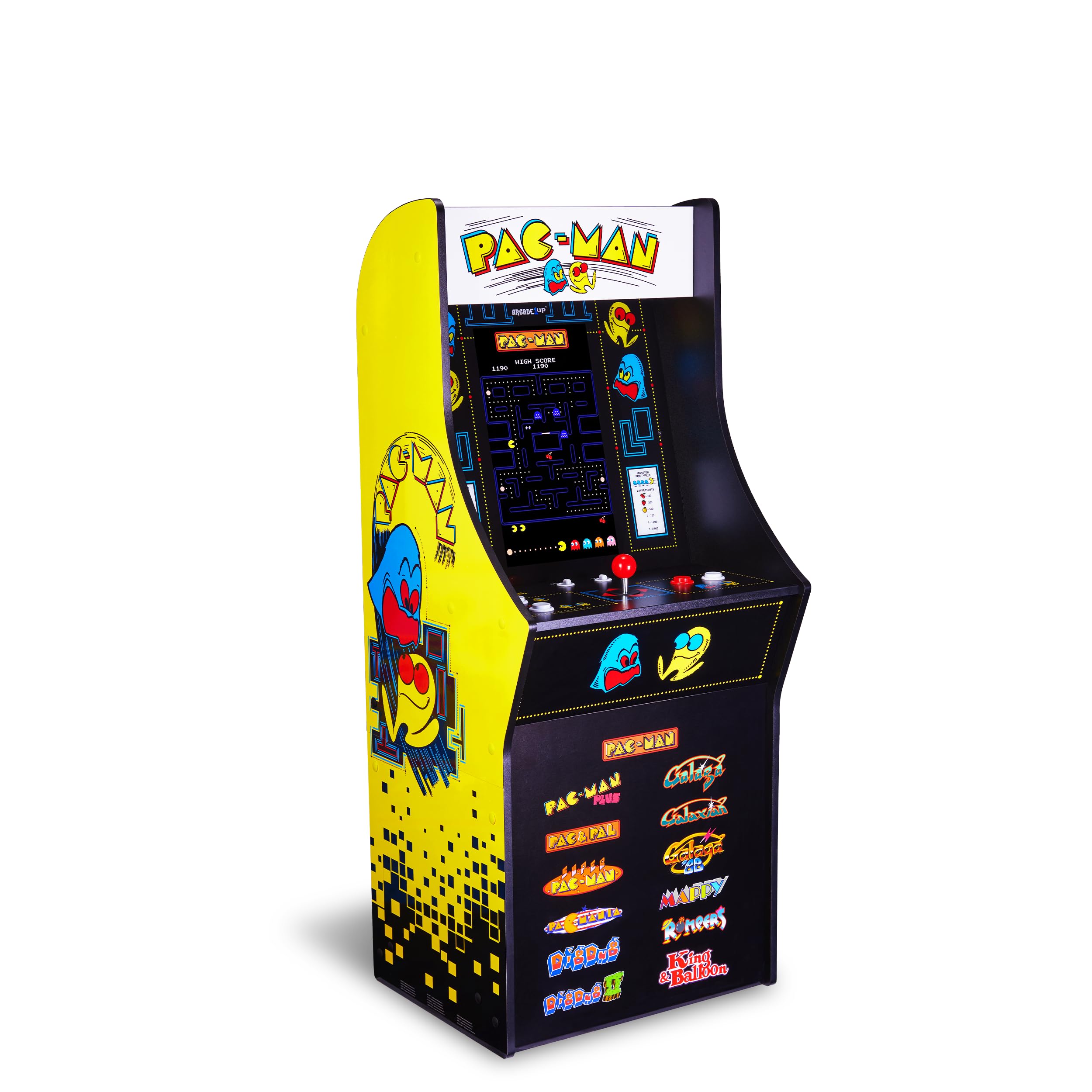
Arcade1Up PAC-MAN Classic SE Arcade Game Machine – 1.22 Meter Cabinet, 13 Classic Video Games, 39.62 cm IPS Display, Easy Assembly, Perfect for At-Home Gaming

Portable Retro Machine X 16-Bit Mini Arcade Cabinet (Includes 300 Built In Games)
Enhancement Features
When it comes to enhancements, I look for options to boost the original resolution, which is particularly pleasant when playing classics on modern smartphones with large, high-resolution screens. Features like save states also come in handy, allowing me to pause and resume games at any moment.
In addition, the ability to customise settings and controller configurations enhances my gameplay, ensuring I can tailor the experience to my preferences. While enhancement features vary from one emulator to another, they typically aim to improve upon the original gaming experience without compromising the classic feel.
Legal Considerations and ROM Management
When setting up your ideal arcade emulator on Android, it’s crucial to understand the legalities of ROMs and the importance of their management. I’ll help you grasp the essentials of copyright laws and guide you on sourcing and organising your ROMs correctly.
Understanding Copyright Laws
[Copyright laws](https://lightgungamer.com/why-is-retro-game-emulation-legally-complex/) are a key component to consider when dealing with ROMs. Here’s what I’ve learnt:

Mini Arcade Machine, 156 Built-In 16-Bit Games, 2.8” Full Colour Screen, 8-Way Joystick, Handheld Retro Games Console – Gaming by Golden Security!
The use of ROMs is governed by copyright. In essence, you’re not permitted to download or distribute ROMs for games that you don’t legally own. Sometimes, even owning the game doesn’t grant the right to possess a ROM copy legally.
Emulators often require BIOS files to run. These BIOS files are also covered by copyright, meaning that possessing or distributing them without ownership is a grey area and can often be illegal.
ROM Sourcing and Organisation
Finding and keeping your ROMs organised might seem daunting, but with the right approach, it’s straightforward:
Enhancing Your Retro Gaming Experience
When I’m reviving the classics on my Android phone, I put a premium on customisation and community support. These elements are pivotal in tailoring a personalised gaming session, whether it’s through adjusting controls, enhancing graphics, or tapping into the knowledge pool of fellow gamers.
Customisation and Community Support
I’ve found that the [best Android emulators](https://lightgungamer.com/best-emulators-on-pc/) offer extensive customisation options. For instance, with certain emulators, I can double the resolution of games for crisper visuals, which is a boon for the eye-candy I crave from bygone consoles on high-resolution Android displays. Cheat codes are another nostalgic layer I can add, which some emulators handle beautifully, allowing me to relive games in ways I never experienced them originally.
Community support plays a huge role in the retro gaming experience on Android. Active development communities for emulators often provide software updates, glitch fixes, and cheat databases to enhance the gaming experience. If a particular game is prone to bugs, a quick search usually leads me to a forum where I can get advice or a patch.
Moreover, I love that I can use a Bluetooth controller to get that authentic tactile feel. Some emulators support multiple Bluetooth controllers, enabling local multiplayer just like old times. When community-developed motion controls come into play, certain classic games become a whole new ball game, which is utterly delightful.
Community forums are treasure troves for cheat codes and easter eggs – perfect for when I want to add a twist to my gaming session. Many Android emulators also offer custom button mappings and support for an array of hardware, such as different types of controllers, which means I can tailor my setup to what feels most comfortable for me.
All in all, the seamless melding of software and hardware customisation, enriched by a strong community, ensures every session of [nostalgia-fuelled retro gaming](https://lightgungamer.com/retro-gaming-consoles-a-comparative-evolution-guide/) is as enjoyable as I remember – sometimes even better.